UPSC Face Authentication 2026: How It Works & Requirements
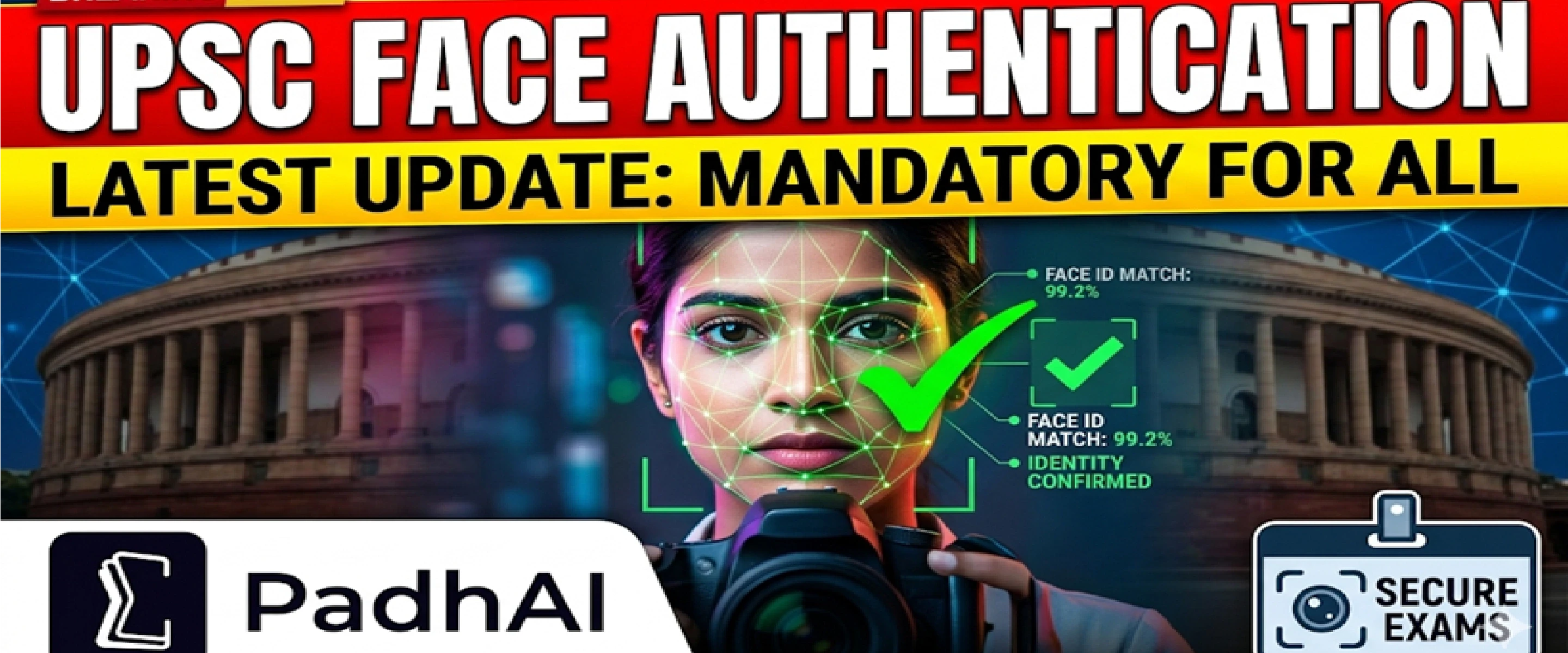
UPSC used AI based face authentication at all 2,072 exam venues during Civil Services Prelims 2026. Over 5.5 lakh candidates were verified in real time using Android phones. Authentication takes just 6-8 seconds. Here is everything UPSC aspirants need to know about photo requirements, the protocol, and UPSC Mains angles.

Last updated
Key Highlights at a Glance
Feature | Detail |
Initiative Name | UPSC Face Authentication Protocol |
Exam Where First Used | Civil Services (Preliminary) Examination 2026 and IFoS (Preliminary) 2026 |
Implementation Date | 24 May 2026 (CSE Prelims day) |
Official Announcement | PIB Press Release — 4 June 2026 |
Developed By | UPSC + National e-Governance Division (NeGD), MeitY |
Venues Covered | 2,072 examination venues across India |
Candidates Verified | Approximately 5.49 lakh (67% of 8,19,732 who applied) |
Authentication Time | 6 to 8 seconds per candidate |
Peak Processing Speed | 12,000 authentications per minute |
Invigilators Used | More than 7,000 simultaneously |
Device Used | Android smartphone (invigilators' own phones) |
UPSC Chairman | Dr. Ajay Kumar |
Related Ministry | Ministry of Electronics and Information Technology (MeitY) |
Something big happened at UPSC examination halls on 24 May 2026. Before any candidate could enter to write the Civil Services Preliminary Examination, they had to clear a live face authentication check — right there at the gate, using an invigilator's Android phone.
This was not a pilot. This was not a test run in select cities. UPSC deployed its face authentication protocol simultaneously across all 2,072 examination venues nationwide, covering approximately 5.49 lakh candidates in a single day.
For UPSC aspirants appearing in future exams, this is now the new normal. For those studying governance and technology-driven reforms for GS Paper 2 and GS Paper 3, this is a current-affairs case study linking AI, Digital India, examination integrity, and institutional accountability.
This blog covers exactly what the UPSC face authentication 2026 system is, how it works step by step, what photo requirements candidates must follow, and what policy angles matter for Mains answers.
Join our WhatsApp Community
UPSC face authentication is an AI-based identity verification system that confirms whether the candidate standing at the examination centre gate is the same person who uploaded their photograph in the online application form.
The process works like this: an invigilator points an Android phone at the candidate's face. The phone's application performs a live scan. That scan is then compared in real time against the photograph submitted when the candidate filled the UPSC application form online. If the two match, entry is granted. The entire check takes 6 to 8 seconds.
This replaced the earlier manual system, where invigilators visually compared each candidate's face to the photo on the admit card — a process that was slow, inconsistent, and open to human error.
The face authentication application was built by UPSC in collaboration with the National e-Governance Division (NeGD), which functions under the Ministry of Electronics and Information Technology (MeitY)
NeGD has previously supported several Digital India initiatives, including DigiLocker and the MyGov platform.
UPSC Chairman Dr. Ajay Kumar confirmed that the technology was developed in-house with NeGD support and described the challenge not just as building the system, but deploying it at national scale within a short timeframe.
Add as a preferred Source on Google
The face authentication protocol did not appear in a vacuum. It came after years of growing concern about examination fraud in government recruitment tests across India — and a specific high-profile case within UPSC itself.
The Puja Khedkar Case and Examination Integrity
In 2024, serious allegations surfaced against a CSE 2022 recommended candidate — Puja Manorama Dilip Khedkar — involving fraudulent candidature and alleged misuse of the PwBD (Persons with Benchmark Disability) reservation category.
UPSC filed legal complaints against her for misrepresentation. The case drew national attention and prompted the Commission to re-examine its verification procedures from the ground up.
Face authentication is one direct outcome of that review. By matching a live face to the application photo at the point of entry, the system makes proxy candidature practically impossible.
Broader Context: Malpractice in Competitive Exams
UPSC is not the only body that faced scrutiny. Between 2023 and 2025, paper leak controversies hit several state-level public service examinations and central government recruitment tests.
The broader public conversation around examination credibility created pressure on every major recruiting body to move toward technology-driven verification.
UPSC’s face authentication is part of that national shift — and it connects directly to GS Paper 2 themes of governance, accountability, and technology-enabled reform.
Understanding the end-to-end process is useful both for candidates preparing for future UPSC exams and for aspirants who need to explain this system in Mains answers.
Stage 1: Photo Upload at Application Stage
When a candidate fills the UPSC application form online, they upload a passport-size photograph.
This photograph becomes the reference image stored in UPSC's system against the candidate's registration number.
Photo requirements at application stage:
File format: JPG/JPEG only (PNG and other formats are not accepted)
File size: 20 KB to 200 KB
The face should cover approximately 75% of the image
Background: plain white, no shadows, patterns, or props
Expression: neutral, face fully visible, not tilted or cropped
No cap, mask, sunglasses, or heavy shadow on the face
No filters, digital editing, or background alteration
The UPSC Common Application Form (CAF) for 2026 introduced a live photo capture feature — a webcam or device camera prompt during form filling that captures a fresh photograph at that moment, ensuring the image is current and matches the candidate's present appearance.
This live photo is cross-checked with any separately uploaded photograph before the form can proceed.
Stage 2: Standard Operating Procedure (SOP) Shared with All Venues
UPSC devised a detailed SOP (Standard Operating Procedure) covering the face authentication process. This SOP was shared with all states, all districts, and all examination venues.
Invigilators received multiple rounds of training before the examination day.
The training covered how to use the application on Android phones, how to handle edge cases (technical failure, lighting issues, mismatch alerts), and what alternate procedures apply when the system cannot authenticate.
Stage 3: Real-Time Authentication at the Examination Gate
On examination day, each invigilator carries their own Android smartphone with the UPSC face authentication application installed.
When a candidate arrives at the gate, the invigilator opens the application and scans the candidate's face.
The system compares the live scan against the application photograph in real time. The result appears within 6 to 8 seconds.
During the 2026 CSE Prelims, more than 7,000 invigilators operated this system simultaneously across 2,072 venues.
At peak entry time, the system processed approximately 12,000 authentications per minute without server failure or significant queue buildup.
Stage 4: Alternate Verification for Edge Cases
If the face authentication fails due to lighting, a technical glitch, or appearance changes, an alternate manual verification process is available.
Invigilators are trained to escalate such cases to senior centre officials who conduct manual document-based verification.
No candidate is automatically barred from entry on the basis of a single authentication failure alone.
Since the face authentication system matches your exam-day appearance against your application photo, the quality and accuracy of your uploaded photo is now more important than ever before. Use the UPSC Photo Resize tool as per UPSC guidelines.
A poor photo can cause a mismatch alert even for genuine candidates.
What You Must Do
The following photo requirements apply for UPSC Face Authentication Protocol compliance:
Upload a recent photo taken not more than 10 days before the application start date.
Ensure your name and the date the photo was taken are visible on the photograph (as required by UPSC instructions).
Your face must occupy three-quarters (3/4th) of the image space.
Use a plain white background with no shadows, designs, or objects.
Maintain a neutral expression — no smile, no squint, no raised eyebrows.
Keep the same general appearance at the exam hall that matches your photo. If you uploaded a photo with a beard, appear with the same look. If you wore glasses in the photo, wear the same glasses on exam day.
Submit the photo only in JPG/JPEG format within the 20 KB to 200 KB file size range.
What You Must Not Do
The following actions can cause authentication failure or application rejection:
Do not apply filters, Photoshop edits, or AI-based beauty corrections to your photo.
Do not use a photo where your face is partially covered by hair, collar, or accessories.
Do not wear a cap, hat, helmet, or any headgear in the photo (unless required by religious practice — this has separate guidelines).
Do not submit a group photo or a photo cropped from a larger image.
Do not upload a photo more than six months old.
Do not use a photo where shadows fall across your face.
Do not wear sunglasses or tinted glasses in the photo.
Appearance Consistency Rule
UPSC guidelines specifically state that the candidate's appearance must match the uploaded photograph at every stage of the examination process — Prelims, Mains, and the Personality Test.
If you grew a beard after submitting your Prelims photo, you will need to maintain that beard through Mains as well, or the face authentication may flag a mismatch.
This consistency requirement is new in its formal application through AI matching, though UPSC had stated the expectation manually in earlier years.
The system uses AI-based facial recognition — a branch of computer vision that identifies or verifies a person by analyzing facial geometry from a digital image or video frame.
At a basic level, the algorithm maps key facial features — the distance between eyes, the shape of the jaw, the position of the nose relative to cheekbones — and generates a mathematical representation called a face embedding.
This embedding from the live scan is compared against the stored embedding from the application photo. If the similarity score crosses a defined threshold, authentication succeeds.
Why Android Smartphones Were Chosen
The choice to use invigilators' own Android phones — rather than dedicated biometric scanners or kiosks — was a deliberate cost and scale decision.
Procurement, installation, and maintenance of dedicated hardware across 2,072 venues in India would have taken months and cost far more.
Android phones are already in the hands of nearly every UPSC invigilator. The application was simply installed and configured.
This kept hardware costs close to zero and allowed deployment within a short preparation window.
For UPSC Mains GS Paper 3, this is a strong example of frugal innovation — achieving a large-scale public outcome with minimal infrastructure investment.
NeGD's Role and the Digital India Connection
The National e-Governance Division (NeGD) sits under MeitY and functions as the technical implementation arm for Digital India projects. It has previously supported:
DigiLocker (digital document storage for citizens)
UMANG (Unified Mobile Application for New-age Governance)
National Scholarship Portal
Aadhaar-enabled payment systems
UPSC face authentication is now one more entry in this list. Its architecture — cloud-connected real-time matching via mobile applications — mirrors the JAM (Jan Dhan-Aadhaar-Mobile) Trinity approach used in welfare delivery, applied here to examination security.
The numbers from the 2026 CSE Prelims make this one of the largest single-day face authentication operations in India's public administration history.
Metric | Number |
Total applicants for CSE 2026 | 8,19,732 |
Candidates who appeared | ~5,49,000 (approx. 67%) |
Examination venues covered | 2,072 |
Invigilators using the system | More than 7,000 simultaneously |
Peak authentication rate | ~12,000 per minute |
Authentication time per candidate | 6 to 8 seconds |
State/district SOPs issued | All states and districts |
To put the peak rate in perspective: 12,000 authentications per minute means 200 authentications per second.
This level of throughput at the peak morning entry window shows the system was built for genuine national scale, not a controlled lab test.
UPSC Face Authentication vs Older Verification Methods
Feature | Earlier Manual System | UPSC Face Authentication 2026 |
Verification method | Visual check by invigilator against admit card photo | AI-based real-time face scan matched to application photo |
Time per candidate | Several minutes per candidate at busy centres | 6 to 8 seconds |
Hardware required | None (just the admit card) | Android smartphone (invigilators' own) |
Consistency | Varies with invigilator — human judgment | Standardised AI threshold across all venues |
Scalability | Limited by invigilator capacity | 12,000 per minute at peak |
Impersonation risk | Higher — difficult to catch well-prepared impostors | Much lower — live face must match stored biometric |
Audit trail | Manual records | Digital log of each authentication |
UPSC Mains Relevance: How to Use This in Answers
GS Paper 2 — Governance and Transparency
The face authentication initiative connects directly to:
Role of technology in improving governance: UPSC used AI to remove a manual bottleneck and reduce a structural risk (impersonation) in high-stakes public examination.
Accountability in public institutions: The initiative followed the Puja Khedkar controversy and reflects institutional responsiveness to public concern about examination integrity.
Digital inclusion and access: The choice of Android phones rather than expensive hardware reflects a governance principle — deploy solutions using existing infrastructure, not costly new systems.
Sample Mains question angle: “How has India’s public examination system leveraged technology to address integrity concerns? Use recent examples.”
Answer hook: UPSC face authentication 2026, deployed at 2,072 venues, 5.49 lakh candidates verified in 6-8 seconds, using Android phones with NeGD support, in response to documented malpractice concerns.
GS Paper 3 — Science and Technology
Key points for GS Paper 3 answers:
AI in governance: Face recognition is a real-world AI application with direct public administration impact — this is textbook material for questions on artificial intelligence in government services.
Frugal innovation: Using existing Android smartphones instead of dedicated biometric hardware is a model for cost-effective technology deployment in a country with diverse infrastructure capacity.
Data privacy: Any biometric system that stores and processes facial data raises questions about data protection — relevant to discussions on India’s Digital Personal Data Protection Act, 2023.
GS Paper 2 — Polity: Right to Privacy and Biometrics
The Supreme Court’s Puttaswamy judgment (2017) established privacy as a fundamental right under Article 21 of the Constitution.
Any biometric-based government system, including UPSC face authentication, operates within this constitutional framework.
Candidates’ facial data is processed for the specific, limited purpose of examination identity verification.
UPSC has not publicly detailed its data retention policy for this biometric information — a gap that the Digital Personal Data Protection (DPDP) Act, 2023 would require to be addressed.
For UPSC Mains, this creates a layered answer opportunity: affirm the need for examination integrity, then raise the constitutional and statutory questions around data storage, consent, and purpose limitation in biometric systems.
Important Guidelines for Candidates Appearing in Future UPSC Exams
The face authentication protocol will now be a standard feature of UPSC examinations going forward. Here is what every candidate must internalize before their next exam:
At the application stage:
Upload a fresh, recent, unedited passport-size photograph in JPG/JPEG format.
Use live photo capture if the CAF provides this option — do not skip it or use an old image.
Ensure your face is fully visible, well-lit, and covers three-quarters of the frame.
Between application submission and exam day:
Avoid dramatic changes in facial appearance — do not shave a beard you photographed with, or grow one you did not photograph with.
If you wear prescription glasses daily, upload a photo wearing those glasses so the AI match is consistent.
On examination day:
Arrive at the venue with enough time before entry closes — the 6-8 seconds per candidate adds up across a large centre.
Do not cover your face with a mask, scarf, or glasses with tinted lenses at the entry point.
Carry your admit card — the authentication system uses your registration details alongside the photo match.
If the system shows a mismatch, stay calm and request manual verification from the centre superintendent.
UPSC Face Authentication and Other Government Exams
UPSC is not alone in moving toward biometric identity verification. Several other recruitment bodies and examination authorities have been exploring or piloting similar systems:
The Staff Selection Commission (SSC) has discussed biometric verification for its examinations.
National Testing Agency (NTA) faced scrutiny after the NEET-UG 2024 controversy and is under pressure to adopt stronger identity protocols.
Several State Public Service Commissions have introduced fingerprint-based biometric checks at exam centres.
UPSC's successful deployment at 2,072 venues simultaneously now serves as a model for other bodies.
The combination of Android phone-based implementation, NeGD partnership, and standardised SOP is replicable by any state or central examination body.
For UPSC Mains, this sets up useful comparative analysis — what has worked at UPSC and what reforms remain pending at bodies like NTA.
Frequently asked question (FAQs)
What is UPSC face authentication 2026 and is it mandatory?
What photo requirements must candidates follow for UPSC face authentication to succeed?
Who developed the UPSC face authentication protocol and what technology does it use?
Why did UPSC introduce face authentication, and what was the trigger?
How is UPSC face authentication relevant for UPSC GS Paper 2 and GS Paper 3 Mains answers?






No comments yet. Be the first to join the discussion!